Apple MacBook Pro review: lighter, thinner and a stunning OLED touchscreen
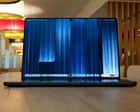
Redesigned flagship laptop has a fantastic display, killer performance and the first touchscreen on a Mac, but comes with a serious price tag Apple’s MacBook Pro has been redesigned for the first time in five years, getting slightly slimmer, significantly lighter and adding a fantastic new OLED display with the first touchscreen on a Mac. The new MacBook Pro with PROLED XDR display comes in two sizes, 14in and 16in, but rather than replacing the standard MacBook Pro they sit alongside them as an even more expensive option.
Redesigned flagship laptop has a fantastic display, killer performance and the first touchscreen on a Mac, but comes with a serious price tag
Apple’s MacBook Pro has been redesigned for the first time in five years, getting slightly slimmer, significantly lighter and adding a fantastic new OLED display with the first touchscreen on a Mac.
The new MacBook Pro with PROLED XDR display comes in two sizes, 14in and 16in, but rather than replacing the standard MacBook Pro they sit alongside them as an even more expensive option. The OLED machines start at £2,899 (€3,299/$2,899/A$4,599) – a £400 or equivalent upgrade on the matching spec LCD models – serious prices for serious work machines, not helped by significant cost increases driven by RAMageddon.
Shut, the new OLED MacBook Pro looks almost identical to its predecessors: a little smaller in every direction but with the same aluminium body, combination of ports and overall profile. But pick it up and the weight loss is immediately noticeable. The 14in version is 14% lighter than its predecessor at 1.38kg, which makes it only 150g heavier than the 13in MacBook Air, and the 16in version is 15% lighter at 1.82kg.
The new touchscreen is the biggest change, complete with the dynamic island around the web cam like a modern iPhone. The screen on the LCD MacBook Pro was already fantastic, but the switch to OLED has several benefits. The screen is even brighter, hitting an incredible peak of 2,000 nits for outdoor or HDR content viewing, making it one of the brightest laptop screens available.
OLED displays have individually lit pixels, which gives them dramatically better contrast with the deepest blacks and eliminates any blooming effects. That makes the new screen one of the very best on any product and a genuine joy to use to create or watch content. It is super crisp, vibrant and smooth, and makes the most of dark mode.
14in screen: 14.2in tandem OLED (3024x1986; 254 ppi) ProMotion (10-120Hz)
16in screen: 16.3in tandem OLED (3472x2266; 254 ppi) ProMotion (10-120Hz)
Connectivity: wifi 7, Bluetooth 6, Thread, 3x Thunderbolt 5/USB 4, HDMI 2.1, SDXC card, headphones
The OLED MacBook Pro isn’t the first laptop with a touchscreen – they’ve been common on Windows laptops since 2012 – but it is the first Mac with one. For the most part the touchscreen mirrors mouse clicks, so you can single tap on just about anything or tap and hold for right click on most things.
It also supports most of the gestures available on a trackpad, including swipes, pinch to zoom and rotate. Three-finger swipes trigger mission control so you can switch between windows, while flicking them left or right snaps them to the screen’s edge – though unsnapping them requires a mouse for some reason. Swipe in from the right side of the screen for notification centre, down from the top right for control centre and from the dynamic island for Spotlight or Siri.
The Mac is not touch-first like an iPad and there is no touchscreen keyboard. But Apple has built new touch systems that third-party app developers can use to do unique things, such as tools that fan out around your finger or scrubbing dials. Those are few and far between at the moment.
That leaves touching the screen an optional extra. Like Windows machines, it is handy to have direct interaction with something using your finger sometimes. Pinch to zoom or rotating a photo is a lot easier directly on the screen than the touchpad, as is tapping the screen to pause video. The touchscreen is also useful for performing various gestures if you use a mouse rather than a trackpad.
The OLED MacBook Pros come with the same M5 Pro or Max chips and memory choices as the regular MacBook Pros with essentially the same performance in benchmarks and during general use. They also have similar battery life, lasting for about two days of office work while mainly using the browser, writing, messaging and note-taking tools.
For more intensive workloads, such as developing and editing photos or other mid-level creative apps, the 16in version with M5 Max still managed to end the day with 40% left in the tank. If pushed to the limit, the battery lasts about two hours, which is still long enough to get a solid task or two done when away from the charger.
The MacBook Pro OLED is made of 55% recycled materials, which Apple breaks down in its environmental impact report. The battery should last in excess of 1,000 full charge cycles and can be replaced for £225 by Apple. Apple makes repair manuals available, offers trade-in and free recycling schemes.
The MacBook Pro with PROLED starts at £2,899 (€3,299/$2,899/A$4,599) for the 14in version or £3,399 (€3,899/$3,399/A$5,499) for the 16in version.
For comparison, the 14in M6 MacBook Pro costs £1,999, the 14in M5 Pro MacBook Pro costs £2,499, the 13in MacBook Air costs £1,299, the Dell XPS 14 costs from £2,038.45 and the Microsoft Surface Laptop Ultra costs £2,599.
The OLED MacBook Pro might be the first touchscreen Mac, but touch is the least interesting part about it.
The reduced weight, slimmer body and absolutely stunning new screen are meaningful upgrades that will no doubt see the MacBook Pro through another five years as one of the very best pro laptops you can get.
The light-up Apple logo on the lid is a welcome blast from the past, while the dynamic island at the top of the screen takes up less space and is more useful than the notch it replaces.
The touchscreen is best thought of a value-added extra that is useful on occasion or for certain types of tasks. This isn’t a touch-first laptop, it’s more like one that just happens to have a touchscreen similar to many of the best Windows rivals, which is just fine.
I still wish the dynamic island contained Face ID like it does on an iPhone. The Touch ID fingerprint scanner is fine, but face recognition on a laptop is better. And no matter how you slice it, any of the new MacBook Pros cost a lot of money, part of which can be blamed on RAMageddon.
As crazy as it might sound, if you’re currently hoping to replace an older machine with a new high-end M5 Pro or Max Apple laptop, the extra £400 or equivalent for the MacBook Pro with PROLED XDR is worth it over the regular LCD MacBook Pro.
Pros: stunning OLED touchscreen, dynamic island with great Centre Stage camera, thinner and lighter, choice of extremely potent M5 Pro or Max chips, long battery life, plenty of ports and an SD card slot, brilliant speakers, Touch ID, first-class keyboard and trackpad, wifi 7, Bluetooth 6 and Thread support.
Cons: extremely expensive, no Face ID, no USB-A, RAM or SSD cannot be upgraded after purchase, touchscreen only occasionally useful.
- macbook
- pro
- touchscreen
- apple
- display
- review
- oled
- mac